VITURE Beast XR Glasses Review: Huge 120Hz OLED Display
A huge, bright 120Hz virtual display makes the Beast fantastic for gaming and movies, but edge clarity and occasional tracking quirks keep it from being the perfect wearable monitor.
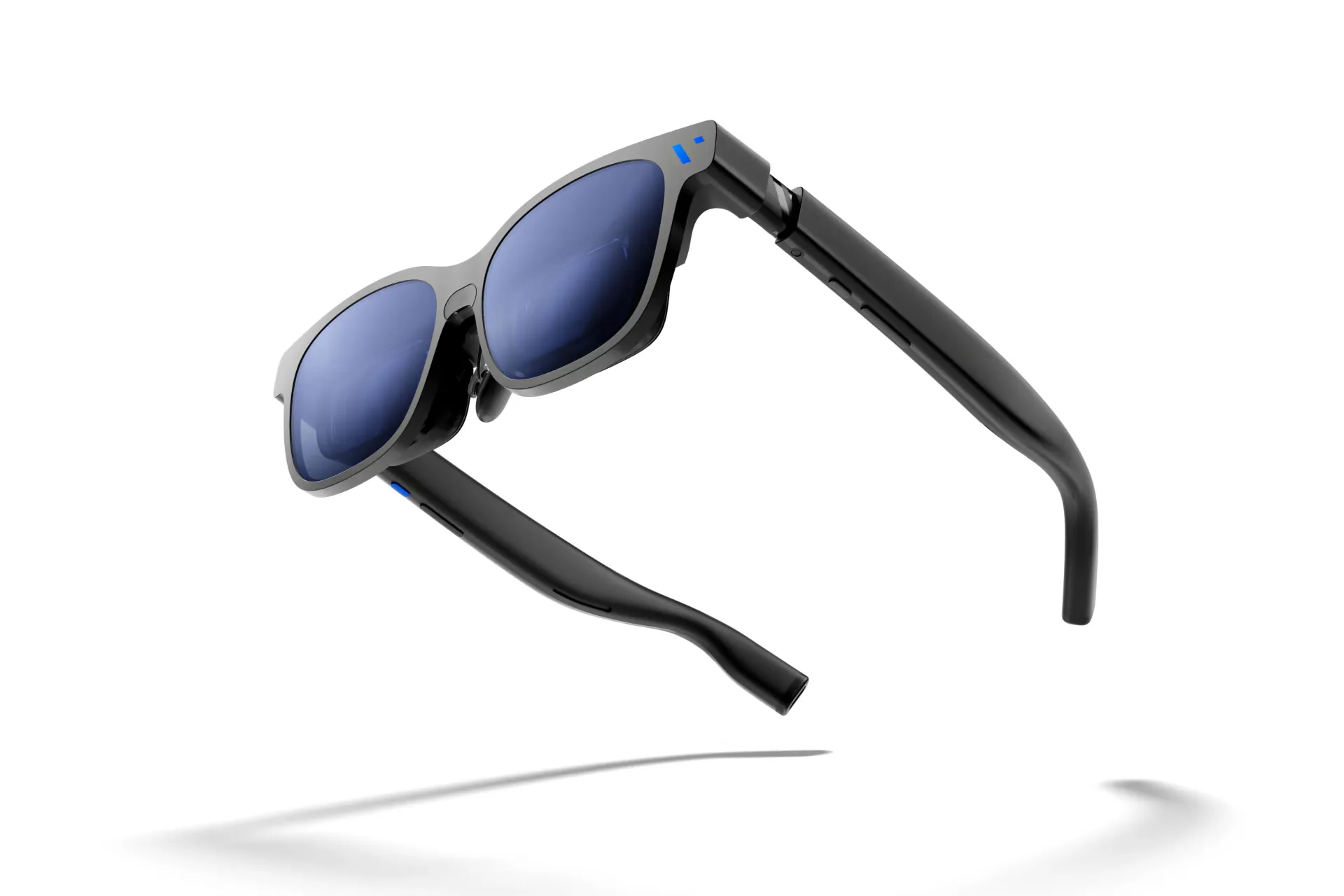
What stands out
- Huge, immersive display: The 58° FOV and 174-inch-equivalent screen create an impressively large viewing experience.
- Excellent picture quality: Sony Micro-OLED panels deliver sharp details, vivid colors and strong contrast.
- Great for gaming: 1200p resolution and up to 120Hz make games look smooth and responsive.
- Built-in 3DoF: Pin, resize and reposition the virtual display directly from the glasses.
- Useful electrochromic tint: Nine tint levels help improve visibility and immersion in different environments.
- Standard USB-C: Connect compatible devices directly without relying on VITURE's older proprietary connector.
Pros
- Huge 58° FOV
- Bright and vivid Micro-OLED display
- 1200p resolution
- Smooth 120Hz gaming
+ View 6 more
- Native hardware 3DoF
- Excellent electrochromic dimming
- Standard USB-C connectivity
- Strong HARMAN-tuned audio
- Premium build
- Regular and Large fit options
Cons
- Edge blur/chromatic aberration
- Small text can look soft
- Anchor-mode drift still reported
- No built-in diopter adjustment
+ View 3 more
- Some advanced functions require SpaceWalker/accessories
- Premium $549 USD price
- Larger/heavier than simpler display glasses
Product specifications
- Display
- Sony Micro-OLED
- Resolution
- 1920 × 1200 per eye
- Refresh rate
- 60Hz / 120Hz
- Field of view
- 58°
- Virtual screen
- Up to 174 inches
- Brightness
- Up to 1,250 nits
- Head tracking
- Built-in 3DoF
- UltraWide
- Yes, native 32:9 support
- Tint
- 9-level electrochromic
- Audio
- HARMAN AudioEFX spatial speakers
- Connection
- USB-C
- Myopia adjustment
- No
- Prescription support
- Prescription lens frame included
- IPD sizes
- Regular: 64 ± 6 mm; Large: 68 ± 6 mm
- Weight
- Around 3 oz / 85 g
- Wear detection
- Yes
- Suggested wearing time
- 3–4 hours
- Compatibility
- USB-C DP phones, laptops, Steam Deck and other handhelds; some consoles require adapters/docks
- Official price
- US$549
- Canada
- Canadian listings have been around CA$749, but seller pricing varies
Before you buy
- Edge clarity: Some users notice blur or color fringing around the edges, especially with text.
- Limited for productivity: Small text can look soft, making long coding or spreadsheet sessions less ideal.
- 3DoF drift: The anchored display can occasionally drift and require recentering.
- No myopia adjustment: Nearsighted users may need prescription lens inserts.
- Extra software or accessories: Multi-screen, 3D and some console setups may require SpaceWalker, adapters or a dock.
VITURE Beast makes a pretty convincing argument that XR glasses don’t need to replace your phone or become some futuristic spatial computer. Sometimes putting an enormous private screen in front of your face is enough.
And that’s exactly where the Beast excels.
VITURE equips the glasses with Sony Micro-OLED displays running at 1920 × 1200 resolution, up to 120Hz, with a huge 58-degree field of view. VITURE describes the result as a 174-inch virtual display, and while virtual screen-size figures always depend on viewing distance, independent reviewers consistently agree on the important part: the Beast feels exceptionally large and immersive.
Gaming is arguably its strongest use case. Connect a Steam Deck, ROG Ally or compatible laptop over USB-C and the Beast behaves much like an external monitor strapped to your face. The 120Hz refresh rate makes movement noticeably smoother, while the OLED panels deliver the deep contrast and punchy colors that suit games and movies particularly well. Tom’s Guide praised both the sharpness and vivid presentation during extended testing.
The Beast also has something cheaper VITURE glasses lack: native hardware 3DoF. You can anchor the screen in space, resize it, reposition it or use a smoother follow mode without relying entirely on a connected device to handle the tracking. Combined with nine levels of electrochromic lens tint, it makes the glasses surprisingly flexible in different environments.
Connectivity is another highlight. VITURE replaced the proprietary connector found on some of its previous glasses with standard USB-C. Connect a device supporting DisplayPort over USB-C and basic screen mirroring works without installing an application. That’s exactly how wearable displays should behave.
The catch is that the Beast’s biggest strength is also responsible for one of its biggest compromises.
That enormous 58-degree image pushes the optics close to their limits. Several reviewers noticed chromatic aberration or softness toward the edges of the image. For games and movies it isn’t particularly distracting, but productivity exposes it quickly. Android Authority found ordinary laptop text readable but blurry, while owners using the Beast primarily for work have reported similar concerns.
Tracking is another area where the story has changed over time. Early Beast units received heavy criticism for drifting when the display was anchored. Firmware updates have substantially improved the situation, and some long-term users now report only occasional recentering, but newer owner reports indicate the problem hasn’t vanished completely.
Comment
by u/gizmosliptech from discussion
in VITURE
There are also a few practical compromises. The Beast drops VITURE’s excellent built-in myopia adjustment, so some glasses wearers will need prescription inserts. Advanced features such as multi-screen environments and immersive 3D can also involve SpaceWalker or additional accessories depending on the connected device.
At $549 USD, the Beast isn’t cheap. But there’s enough here to justify the flagship positioning if you’ll actually take advantage of that huge display.
For gaming, movies and travel, the VITURE Beast is one of the most compelling wearable displays available. For text-heavy productivity, however, I’d be more cautious. The gigantic picture is spectacular when you’re exploring a game world or watching a movie; it’s less forgiving when you’re staring at 10-point text in the corner of an Excel sheet.
The buying decision is therefore pretty simple: buy the Beast for immersion. Buy something else if perfect edge-to-edge text clarity is the priority.
Where to buy
Affiliate link: we may earn a commission if you buy through it, at no extra cost to you.
Verdict
Buy if you want one of the biggest and most immersive portable displays available and gaming or media matters more than small-text productivity.
Best for:
How we score