VITURE Luma XR Glasses Review (2026): Are They Worth $399?
Sharp 1200p XR glasses that shine for gaming and movies, but are less convincing as a true spatial-computing setup.
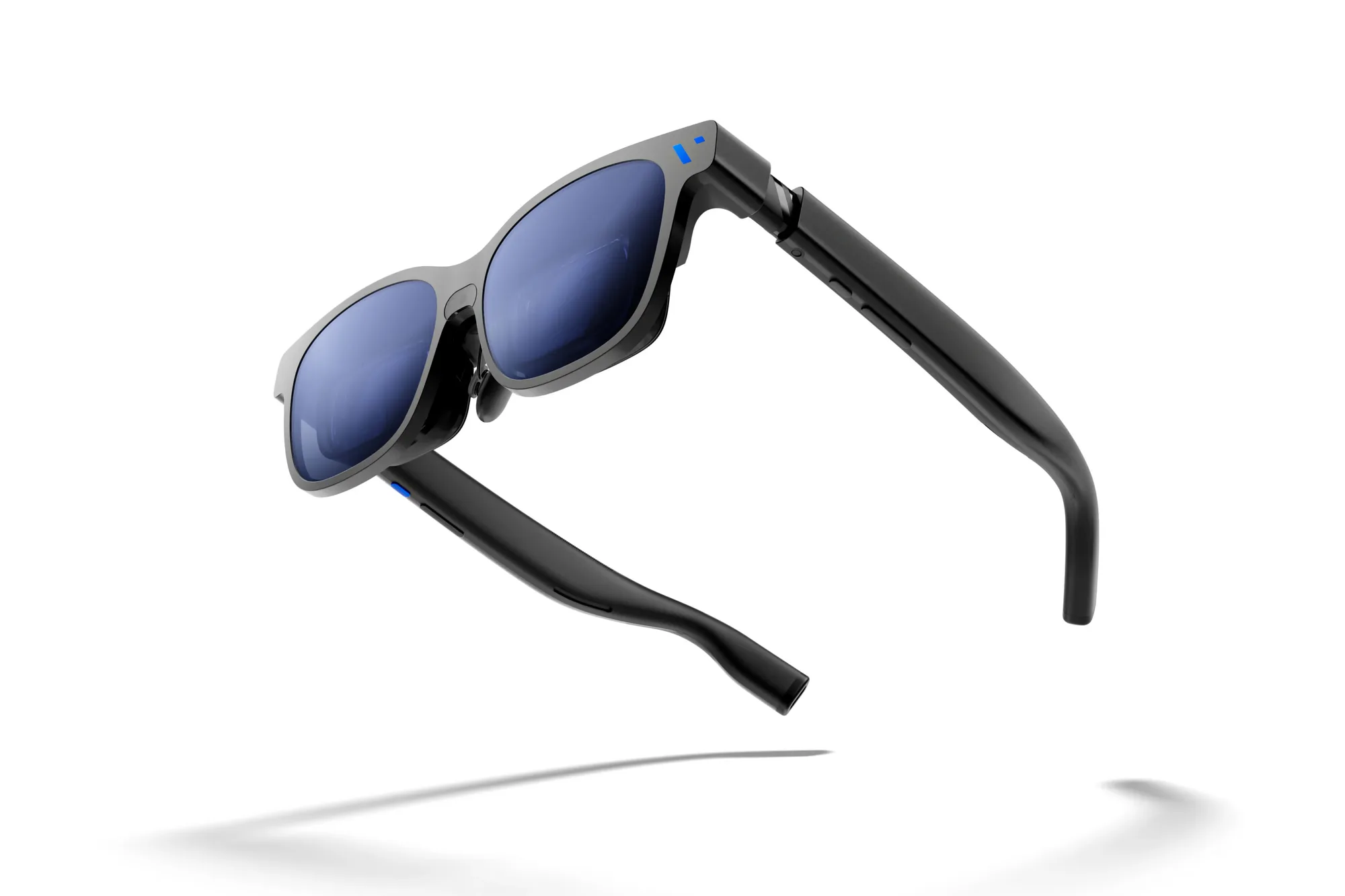
What stands out
- Excellent 1200p display: Sony Micro-OLED panels produce a sharp, high-contrast picture that's well suited to games and movies.
- Smooth 120Hz gaming: The high refresh rate works particularly well with Steam Deck, ROG Ally and gaming laptops.
- Very useful myopia adjustment: Built-in adjustment reaches an unusually broad -6.0D.
- Simple USB-C operation: Compatible devices can essentially turn the Luma into an external wearable monitor.
- Electrochromic lenses: Electronic dimming helps make the virtual display easier to see without attaching a shade.
- Good value within VITURE's lineup: At $399, it sits $100 below the Luma Pro and $150 below the Beast at current official pricing.
Pros
- Sharp 1920 × 1200 Micro-OLED displays
- Smooth 120Hz refresh rate
- Bright 1,000-nit perceived output
- Excellent -6.0D myopia adjustment
+ View 4 more
- Useful electrochromic dimming
- Broad USB-C device support
- Great match for handheld gaming
- No battery to recharge
Cons
- No built-in hardware 3DoF
- No 6DoF
- Fit and edge visibility vary by user
- SpaceWalker experience can be inconsistent
+ View 2 more
- Accessories quickly increase the total price
- Built-in speakers are only average
Product specifications
- Display
- Sony Micro-OLED
- Resolution
- 1920 × 1200 per eye
- Refresh rate
- Up to 120Hz
- Virtual screen
- Up to 146 inches
- Field of view
- 50°
- Brightness
- Up to 1,000 nits perceived
- Contrast
- ≥100,000:1
- Colour
- 108% sRGB
- Myopia adjustment
- Up to -6.0D
- IPD range
- 56–72 mm
- Electrochromic lenses
- Yes
- 3DoF
- Via SpaceWalker
- 6DoF
- No
- Weight
- 77 g
- Connection
- USB-C
- Battery
- None — powered by connected device
Before you buy
- No built-in 3DoF: Spatial screen anchoring relies on SpaceWalker rather than dedicated tracking hardware inside the glasses.
- No 6DoF: You'll need to move up the VITURE range for more advanced spatial tracking.
- Fit can make or break the experience: Some owners report clipped corners, pressure points or difficulty finding the optical sweet spot.
- SpaceWalker is less polished than the hardware: Owner experiences with its 3DoF and multi-screen features remain mixed.
- Audio is convenient, not headphone-quality: Built-in speakers are useful, but this shouldn't replace a decent headset for serious gaming.
XR glasses can get confusing very quickly. Once manufacturers start talking about spatial computing, 3DoF, 6DoF and virtual multi-monitor setups, it’s easy to forget what most people actually want from them: a really big screen they can carry around.
That’s where the VITURE Luma makes the most sense.
At $399 USD, the standard Luma sits below the Luma Pro and Beast, yet it still gets a Sony Micro-OLED display with 1920 × 1200 resolution per eye, up to 120Hz, 1,000 nits of perceived brightness and a 50° field of view. VITURE describes that as a 146-inch virtual screen viewed from around four metres away.
And for gaming and watching movies, those are the specifications that matter most.
The display is the main reason to buy it
VITURE uses the phrase “4K-like,” but don’t mistake that for native 4K. The actual panel resolution is 1920 × 1200 per eye. That’s still a meaningful step above traditional 1080p XR glasses and gives the Luma enough resolution to make games, video and ordinary desktop interfaces look impressively crisp.
The Micro-OLED panel is another big advantage. Blacks are genuinely dark, contrast is excellent, and the 120Hz refresh rate makes movement noticeably smoother when your connected hardware can output at that rate.
This combination is particularly attractive for handheld gaming. Connect a Steam Deck, ROG Ally or another supported USB-C device and the glasses effectively become a giant external gaming monitor sitting in front of your eyes.
The -6.0D adjustment is genuinely useful
One of the Luma’s best features is easy to overlook.
Each eye can be adjusted for myopia down to -6.0D, which is actually a broader correction range than the more expensive Luma Pro.
For nearsighted users, that can mean wearing the glasses without prescription inserts.
There is an important limitation: the adjustment doesn’t correct astigmatism. Owners with more complicated prescriptions may still need VITURE’s prescription lens frame or custom lenses.
Comfort is very personal
At 77 g, the Luma is dramatically lighter than a VR headset, and VITURE includes three nose-pad sizes along with adjustable arms.
But XR glasses have a problem normal monitors don’t: your face becomes part of the optical system.
Owner reports show how dramatically experiences can differ. Some users report excellent clarity and comfort, while others struggle with clipped corners, pressure around the nose or ears, and difficulty keeping the entire display inside the optical sweet spot.
Terribly Disappointed…
by u/Aljosa3000 in VITURE
So IPD matters. Face shape matters. Nose-pad positioning matters.
This is one product category where trying the glasses before committing is genuinely useful when that’s possible.
SpaceWalker is useful, but don’t buy the Luma for spatial computing
The regular Luma can use VITURE’s SpaceWalker software for features including 3DoF screen anchoring, ultrawide displays and multiple virtual screens. Windows and macOS support 1200p output at 60, 90 or 120Hz through SpaceWalker.
However, the base Luma doesn’t have native hardware 3DoF or 6DoF.
That’s an important distinction.
If you simply want a large virtual screen for gaming or Netflix, it barely matters. If you’re buying XR glasses specifically because you want virtual monitors locked perfectly around your room, it matters a lot more.
One owner on reddit of the base model praised its normal plug-and-play display experience but found SpaceWalker considerably less reliable, particularly when using 3DoF. That’s anecdotal rather than proof of a universal problem, but it lines up with the Luma’s biggest compromise: the display hardware feels more mature than the spatial software experience.
The regular Luma may actually be the sensible one
VITURE now sells considerably more capable XR glasses, but the regular Luma doesn’t really need to compete with them feature-for-feature.
It needs to be good at being a portable monitor.
And it is unusually well equipped for that job.
You get a bright 1200p Micro-OLED picture, 120Hz gaming, electrochromic dimming, unusually broad myopia adjustment and compatibility with a huge selection of USB-C devices. There’s also no internal battery to maintain — the glasses draw power from whatever they’re connected to.
Just don’t mistake them for an Apple Vision Pro squeezed into sunglasses.
Nerdfuse Take
The VITURE Luma is at its best when you treat it as a premium wearable display rather than a miniature spatial computer.
For Steam Deck gaming, watching movies in bed, using a private display on a flight or simply giving a laptop a much larger screen, the combination of 1200p Micro-OLED, 120Hz and electrochromic dimming is compelling.
The biggest hesitation is fit. XR glasses can look spectacular for one person and frustratingly blurry or cropped for another, and owner experiences with the Luma demonstrate exactly that. SpaceWalker also remains more of a bonus than the reason we’d buy this model.
If gaming and entertainment come first, though, the regular Luma gives you most of the good stuff without forcing you into VITURE’s more expensive models.
Is the VITURE Luma actually 4K?
No. VITURE markets the image as “4K-like,” but the actual panel resolution is 1920 × 1200 per eye. That’s higher than standard 1080p XR glasses, but it isn’t a native 3840 × 2160 4K display.
Does the VITURE Luma work with Steam Deck?
Yes. VITURE officially lists both the Steam Deck and Steam Deck OLED as supported devices, making handheld gaming one of the Luma’s strongest use cases.
Does VITURE Luma need charging?
No. The glasses don’t contain their own battery. They’re powered through the connected USB-C device, although this also means they consume some of your phone, laptop or handheld’s battery.
Does VITURE Luma have 3DoF?
Yes, but through VITURE’s SpaceWalker ecosystem rather than native tracking hardware inside the glasses. Platform requirements differ, and some iPhone features require an additional adapter.
Does VITURE Luma support 6DoF?
No. VITURE specifically lists 6DoF as unsupported on the standard Luma.
Can I use VITURE Luma if I wear glasses?
Possibly without them if you’re nearsighted: the built-in adjustment supports up to -6.0D. Astigmatism and prescriptions outside the supported adjustment range may require prescription inserts.
Where to buy
Affiliate link: we may earn a commission if you buy through it, at no extra cost to you.
Verdict
The regular Luma is arguably the simplest way into VITURE's newer 1200p generation. You get most of what matters for gaming and movies without paying for the more advanced spatial hardware found higher up the range.
Best for: Gaming, movies, handheld consoles and private big-screen viewing
How we score